How AI Drafts Client Emails Using Real Case Context
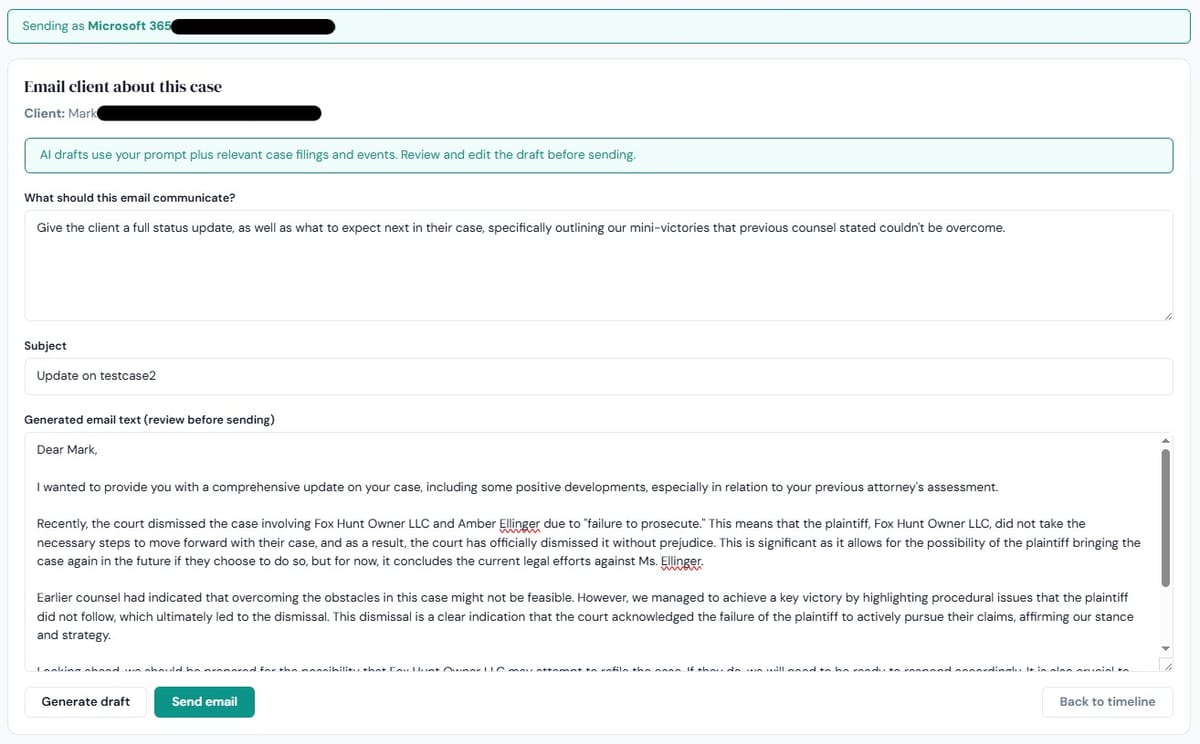
DocketBreeze drafts client emails using the actual case as context. The AI knows who the client is, what's been filed, what the names of opposing parties and counsel are, what the case caption is, what the upcoming deadlines are, and what's been communicated to the client previously.
Drafting a client email is one of those tasks that always takes longer than it should. The structure is familiar. The content is usually routine. But the email still has to reference the right names, the right dates, the right filings, in language the client will understand. And every minute spent composing it is a minute not spent on something billable.
Most attorneys handle this by gradually building a personal library of templates. The templates help, but they go stale, they require editing for the specific case, and they never quite fit the situation in front of you.
The Two Limitations of Generic AI for This Task
ChatGPT and similar tools can draft an email in seconds. The output looks fine on the surface. The trouble is in the details. The AI doesn't know the client's name, the case caption, the names of opposing parties, the specific filings that have happened, or the dates that matter. So either you spend time prompting it with all that information — which mostly negates the time savings — or you accept generic placeholder language that you then have to fill in manually.
Either way, you're doing the part the AI can't do, which is also the part that takes the most time.
Case-Specific AI Drafting Solves a Different Problem
DocketBreeze drafts client emails using the actual case as context. The AI knows who the client is, what's been filed, what the names of opposing parties and counsel are, what the case caption is, what the upcoming deadlines are, and what's been communicated to the client previously. You give it a prompt; “draft an email updating the client on the order denying summary judgment”, and the draft comes back with the right names, the right date, the right reference to the order, and the right next steps already filled in.
DocketBreeze also has thousands of templates in 20 different legal specialties, covering every scenario that may come up during the course of any matter, and each that tie directly to the case.
Edit and send. The 10-minute email becomes a 30-second one.
Common Use Cases
The drafting feature handles the routine work that fills the day in solo and small-firm practice:
Status updates after significant filings. “We received the order on the motion to dismiss. Here's what it means for your case.”
Document requests. “We need the following from you to respond to discovery, and the deadline is X.”
Strategy updates. “Here's what we're recommending and why.”
Settlement communications. “The other side has offered the following. Here's how we're thinking about it.”
Routine reminders. “The deposition is scheduled for X. Here's what to expect.”
None of these are emails that require legal craftsmanship. All of them require the right facts, the right tone, and the right level of detail for the client. The AI handles the first; the lawyer adjusts the rest.
Why This Matters Beyond Time Saved
The hidden benefit of AI drafting isn't just speed. It's that emails actually get sent.
Plenty of routine client communications get skipped because the lawyer doesn't have the time to write them. The client doesn't get a status update after a filing. The reminder doesn't go out before the deadline. The result is a client who feels uninformed, even though nothing went wrong with the case. AI drafting changes the cost of communication enough that the communications happen at all.
That's the more significant shift. Not faster work... better work, because routine communication actually gets done.