Key Dates: Never Miss a Hearing or Deadline Again

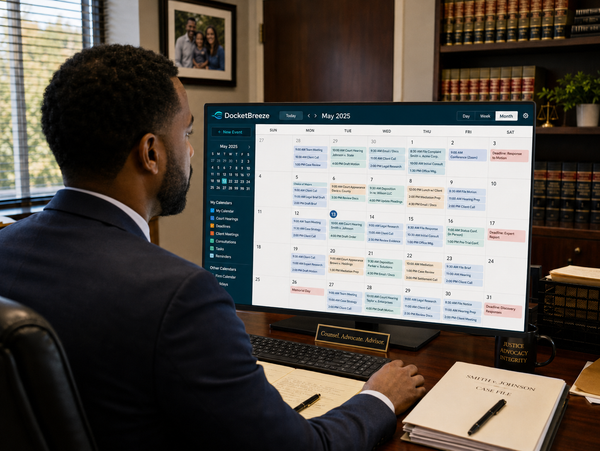
Missing a filing deadline or showing up unprepared for a hearing can have serious consequences — for your case and your credibility. But important dates are often buried in docket entries, scattered across emails, and forgotten in calendar apps that don't know what case they belong to. DocketBreeze's Key Dates feature gives every matter its own visual calendar, surfacing upcoming hearings and deadlines right where you need them.
How It Works
Step 1: Check "Next on Your Calendar"
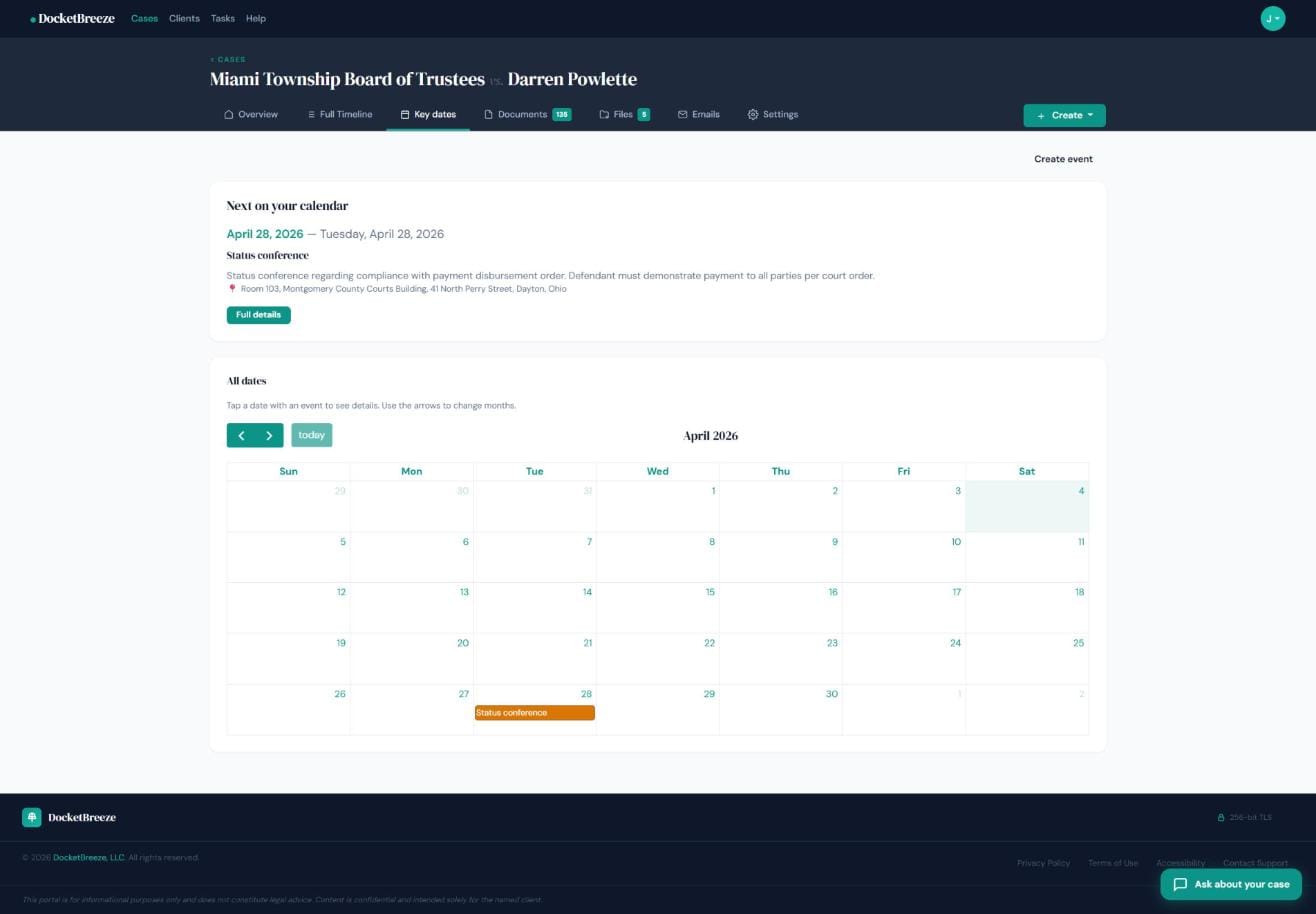
At the top of the Key Dates page, DocketBreeze highlights your next upcoming event with its date, event type, description, and location — so you know exactly what's coming with no hunting required. Dates pulled from court docket entries and events you've manually added both appear here.
Step 2: Create a calendar event
Click "Create event" to add a hearing, deadline, or custom reminder. Fill in the event type (e.g., "Status Conference"), date, description, location, and phone number for virtual appearances. The event saves to your Key Dates calendar and appears in the Full Case Timeline — a single source of truth for your matter.
Step 3: See it on the calendar
Once saved, events appear on the visual calendar with colored labels on the date. Click any date with an event to see details. Navigate month by month to see what's ahead. Your client sees the same calendar in their portal — so they're never surprised by an upcoming court date.
Why It Matters
Missed deadlines are malpractice risks. Surprised clients are unhappy clients. Key Dates solves both problems by centralizing every important date into a visual, case-specific calendar that you and your client share. When the next hearing is always one click away — with description, location, and context — court dates stop being something you worry about and start being something you're always ready for.
Never miss a deadline again. Sign up at docketbreeze.ai and keep every matter on track.