Tasks: Keep Every Follow-Up Tied to the Case It Belongs To

Legal follow-ups don't always happen at a desk. A task assigned after a hearing gets written on a notepad, added to a separate project manager, or — worse — forgotten entirely. DocketBreeze's Tasks feature brings your to-do list inside the platform, linked directly to cases and clients, with priority, status, due dates, and rich-text descriptions. Follow-ups live next to the matter they belong to.
How It Works
Step 1: Open the Tasks page
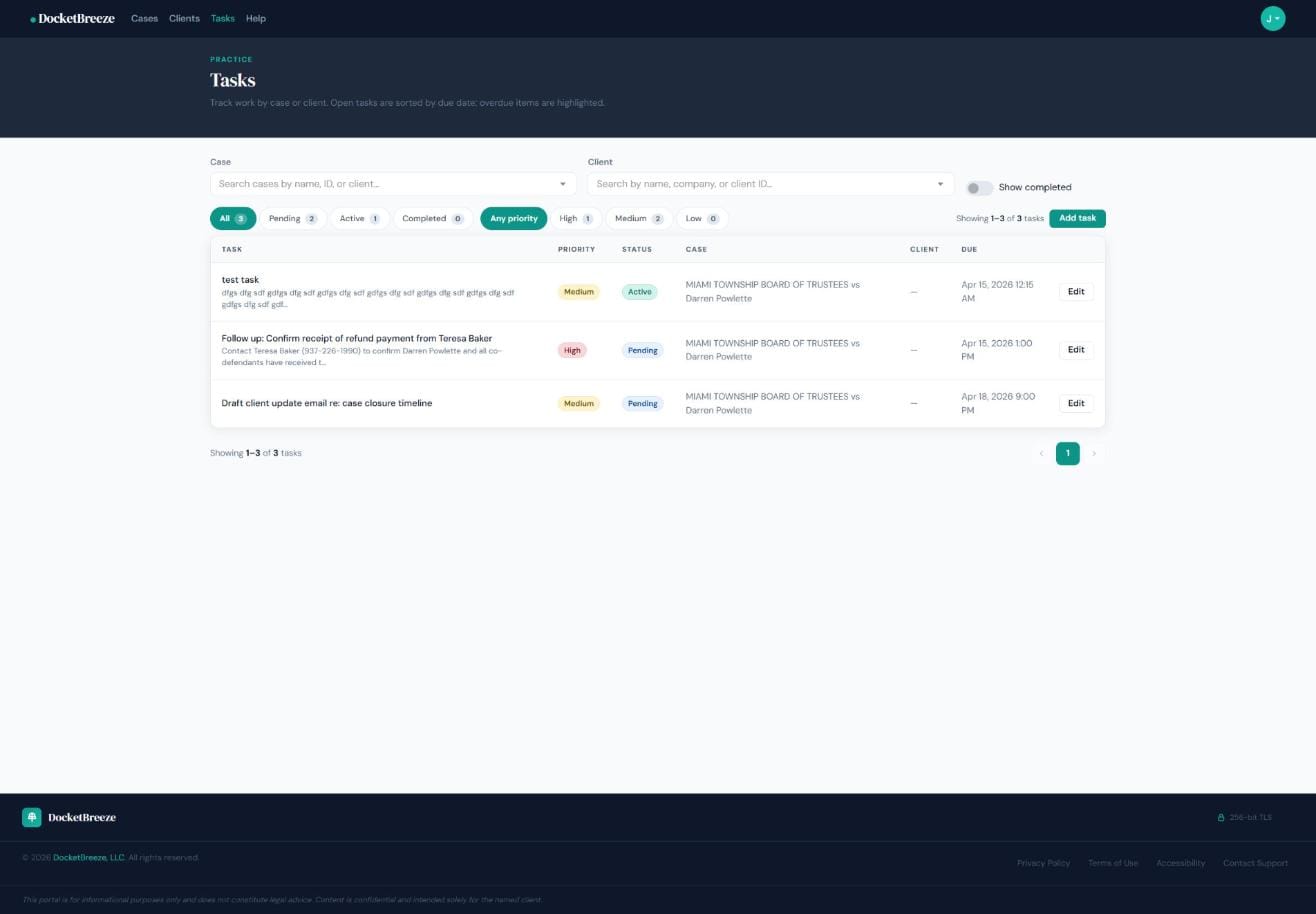
Click "Tasks" in the top navigation to see your firm-wide task list. Tasks are sorted by due date — overdue items are highlighted — so the most urgent work always floats to the top. Filter by status (Pending, Active, Completed), priority (High, Medium, Low), case, or client. The summary badges at the top show your task mix at a glance.
Step 2: Create a task
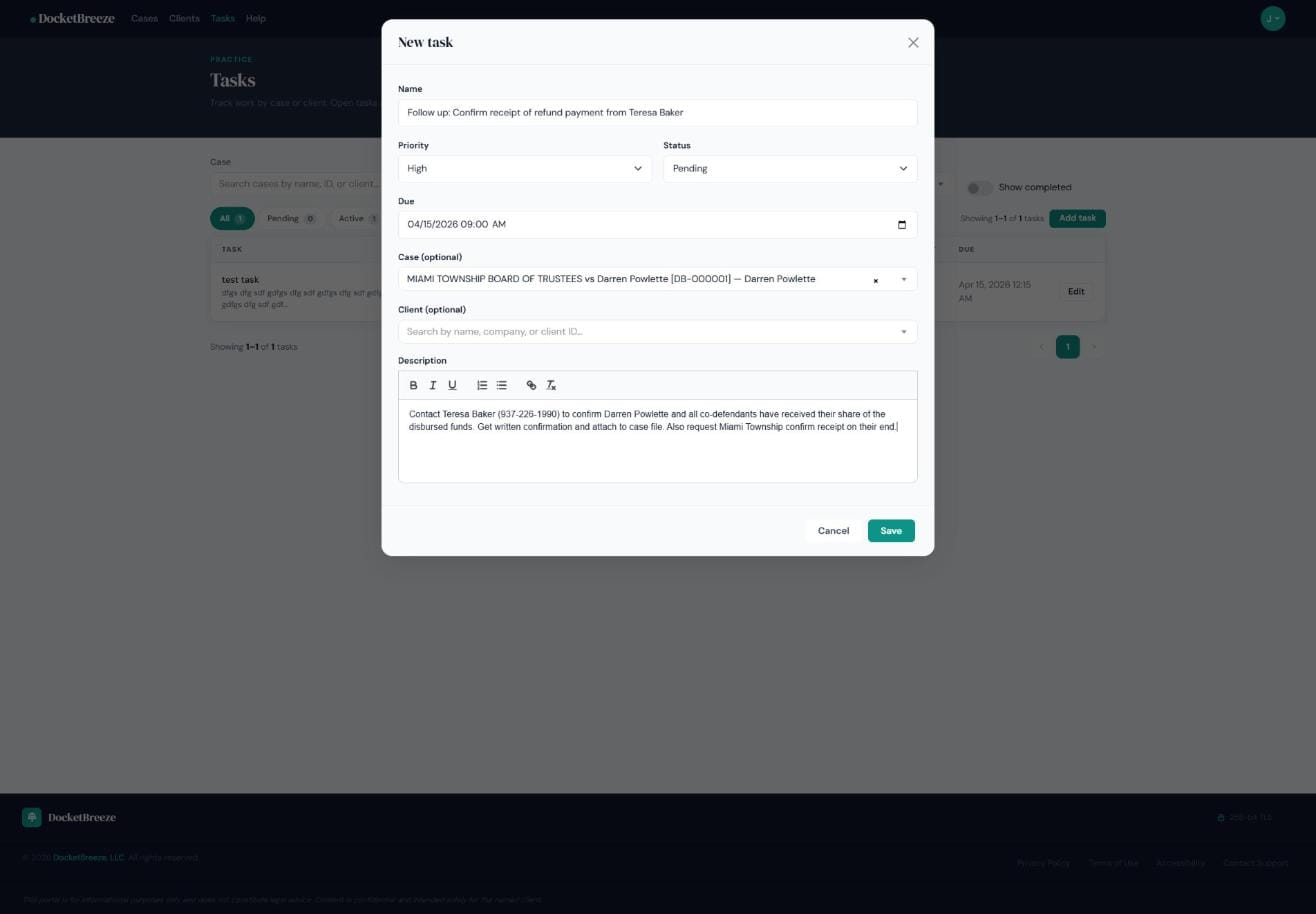
Click "Add task" or use the "+ Create" menu from any case. Enter a task name, set priority and status, pick a due date, optionally link it to a specific case and client, and write a description with the rich text editor. Linking the task to a case means it appears in context wherever you're working in that matter.
Step 3: Track and filter your list
Back in the Tasks view, your firm-wide list shows every open task with priority badge, status, linked case name, and due date. Filter by case to see all tasks for a single matter, or filter by client to see all work across that client's portfolio. Mark tasks complete when done — they remain searchable with "Show completed" toggled on.
Why It Matters
Legal work generates follow-ups constantly — after every hearing, client call, and deposition. DocketBreeze Tasks keeps those follow-ups organized, prioritized, and attached to the case they came from. No more sticky notes, no more separate apps, no more "I thought someone else was handling that." When every task has a case, a priority, and a due date, nothing falls through the cracks.
Stop managing your legal to-dos in a separate app. Sign up at docketbreeze.ai and bring tasks inside your matter workflow.